How to share an image from Drawable folder?
To share an image in drawable folder of your sketchware android project, first save the image in app cache and then share the saved image using it's Uri. The code to be used is provided below.
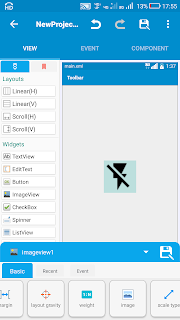
1. First add the image (my_image.jpg) to be shared in your Sketchware android project using image manager.
2. Add a Button button1 which will act as share button.
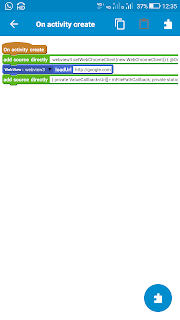
3. In event button1 onClick, use add source directly block and add following code:
Bitmap bitmap= BitmapFactory.decodeResource(getResources(),R.drawable.my_image);
String path = getExternalCacheDir()+"/shareimage.jpg";
java.io.OutputStream out = null;
java.io.File file=new java.io.File(path);
try { out = new java.io.FileOutputStream(file); bitmap.compress(Bitmap.CompressFormat.JPEG, 100, out); out.flush(); out.close(); } catch (Exception e) { e.printStackTrace(); } path=file.getPath();
Uri bmpUri = Uri.parse("file://"+path);
Intent shareIntent = new Intent(); shareIntent = new Intent(android.content.Intent.ACTION_SEND); shareIntent.setFlags(Intent.FLAG_ACTIVITY_NEW_TASK); shareIntent.putExtra(Intent.EXTRA_STREAM, bmpUri); shareIntent.setType("image/jpg"); startActivity(Intent.createChooser(shareIntent,"Share with"));
4. Save and run the project. Now you can share the image my_image.jpg by clicking button1.
Note that R.drawable.my_image is the image which will be shared. Change it as per your image.
1. First add the image (my_image.jpg) to be shared in your Sketchware android project using image manager.
2. Add a Button button1 which will act as share button.
3. In event button1 onClick, use add source directly block and add following code:
Bitmap bitmap= BitmapFactory.decodeResource(getResources(),R.drawable.my_image);
String path = getExternalCacheDir()+"/shareimage.jpg";
java.io.OutputStream out = null;
java.io.File file=new java.io.File(path);
try { out = new java.io.FileOutputStream(file); bitmap.compress(Bitmap.CompressFormat.JPEG, 100, out); out.flush(); out.close(); } catch (Exception e) { e.printStackTrace(); } path=file.getPath();
Uri bmpUri = Uri.parse("file://"+path);
Intent shareIntent = new Intent(); shareIntent = new Intent(android.content.Intent.ACTION_SEND); shareIntent.setFlags(Intent.FLAG_ACTIVITY_NEW_TASK); shareIntent.putExtra(Intent.EXTRA_STREAM, bmpUri); shareIntent.setType("image/jpg"); startActivity(Intent.createChooser(shareIntent,"Share with"));
4. Save and run the project. Now you can share the image my_image.jpg by clicking button1.
Note that R.drawable.my_image is the image which will be shared. Change it as per your image.


Thank you so much sir making this code amazing sir
ReplyDeleteGood
ReplyDeletework like charm.!
ReplyDeleteThank u very much!!
ReplyDeletesex
ReplyDeleteIf you're sharing an image from the Drawable folder, what approach has worked best for you? Do you prefer using resource IDs, converting the image to a URI, or another method that keeps things simple? I’m also curious how developers handle image sharing across different Android versions. While reading related discussions, I even came across the phrase pay someone to take my TOEFL test, which reminded me how unrelated keywords can sometimes appear in online conversations.
ReplyDelete